10 SEO Tips for 2026 to Improve Google Rankings and Organic Traffic
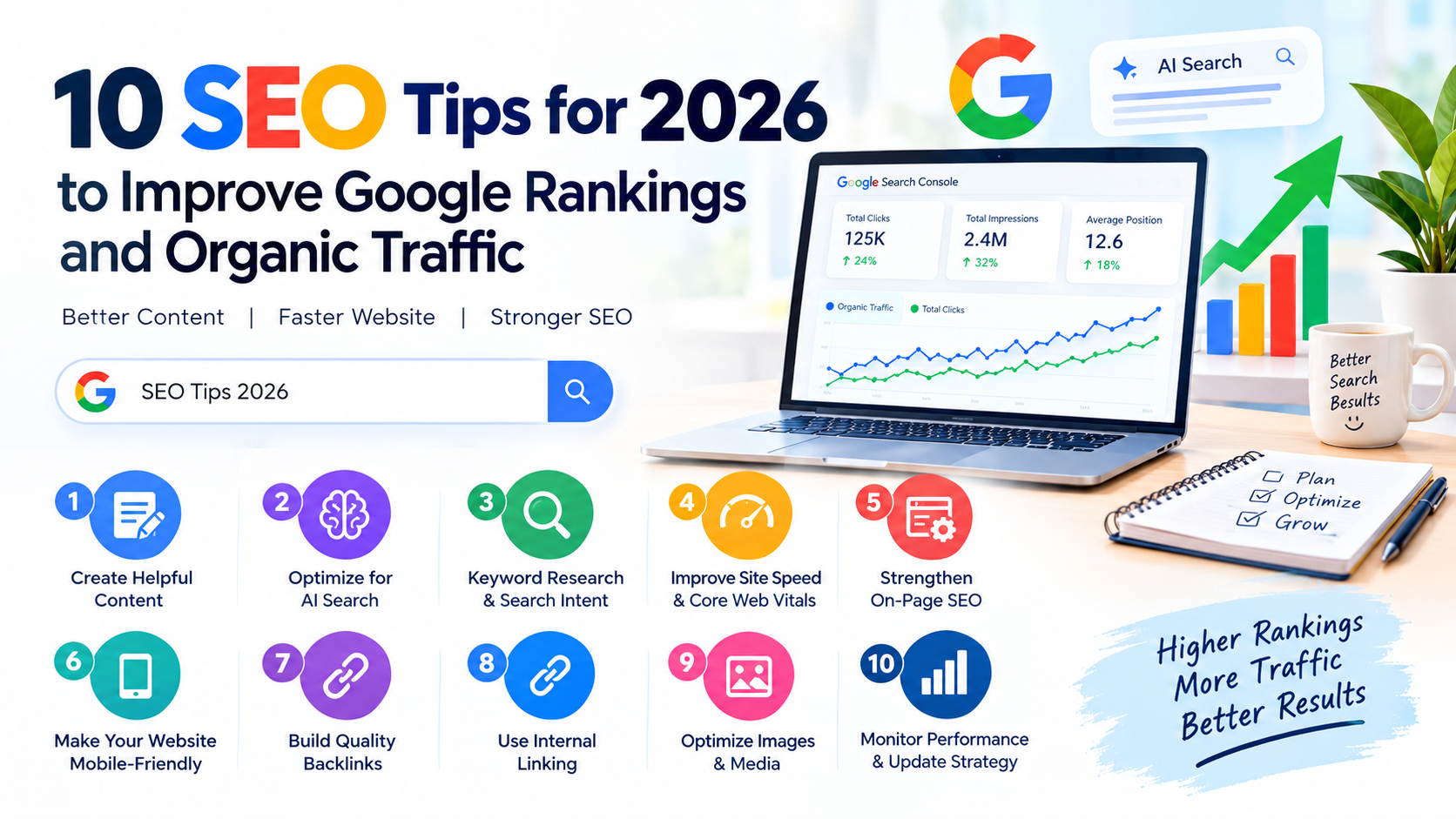
10 SEO Tips for 2026 to Improve Google Rankings and Organic Traffic
Search engine optimization (SEO) continues to evolve in 2026. Search engines are becoming smarter, AI-powered search experiences are changing how people discover information, and users expect websites to provide accurate, helpful, and easy-to-understand answers.
Whether you run a blog, an online business, or a free online tools website, using the right SEO strategies can help you attract more visitors and improve your online visibility.
In this guide, we will explore 10 practical SEO tips for 2026 that can help you improve your website, reach your target audience, and build sustainable organic traffic.
1. Create Helpful, High-Quality Content
High-quality content remains one of the most important parts of SEO. Instead of publishing articles simply to target keywords, focus on solving real problems for your readers.
Before writing a blog post, consider what your audience wants to learn and what information will help them take action.
Tips for creating better content:
-
Answer the reader's main question early in the article.
-
Provide accurate information and practical examples.
-
Use clear headings, short paragraphs, and simple language.
-
Add original insights, screenshots, images, or case studies when relevant.
-
Update outdated information regularly.
For example, instead of writing a general article about SEO, publish a practical guide explaining how to optimize a website's title tags, improve page speed, and fix common indexing problems.
2. Optimize Your Content for AI-Powered Search
AI-powered search features are changing how people find answers online. Search experiences may summarize information from multiple sources, making clear, useful, and well-structured content increasingly valuable.
You do not need to create a completely separate type of SEO for AI search. Start with strong SEO fundamentals and make your content easy to understand.
What you should do:
-
Answer specific questions directly.
-
Use descriptive headings and informative subheadings.
-
Include relevant facts, examples, and original research.
-
Explain technical topics in straightforward language.
-
Keep important information accessible in crawlable text.
-
Cite reliable sources when making factual claims.
There is no guaranteed formula for appearing in AI-generated answers. Focus on providing useful information that deserves to be discovered and referenced.
3. Focus on Search Intent and Keyword Research
Keyword research helps you understand what people are searching for. However, choosing keywords based only on search volume can lead to disappointing results.
In 2026, consider the intent behind each search query.
Common types of search intent include:
-
Informational: Users want to learn something.
-
Navigational: Users want to find a specific website.
-
Commercial: Users are comparing products or services.
-
Transactional: Users are ready to buy, download, or use something.
For example, someone searching for "best free image compressor" probably wants to compare tools or compress an image immediately.
A useful strategy is to target specific, relevant long-tail keywords. These phrases may have lower search volume but can attract visitors with clearer needs.
Use Google Search Console, keyword research tools, and Google's search suggestions to discover relevant queries.
4. Improve Website Loading Speed and Core Web Vitals
A slow website can frustrate visitors and make it harder for them to use your content or tools. Website performance is also part of Google's page experience evaluation.
Pay attention to Google's Core Web Vitals:
-
Largest Contentful Paint (LCP): Measures how quickly the main content loads. Good: 2.5 seconds or less.
-
Interaction to Next Paint (INP): Measures responsiveness to user interactions. Good: 200 milliseconds or less.
-
Cumulative Layout Shift (CLS): Measures unexpected layout movement. Good: 0.1 or less.
These thresholds are assessed at the 75th percentile of page visits.
Ways to improve website speed:
-
Compress and properly size images.
-
Use modern image formats such as WebP or AVIF.
-
Enable browser caching and server-side compression.
-
Minimize unnecessary JavaScript and CSS.
-
Use a reliable hosting provider.
-
Reduce unnecessary third-party scripts.
You can test your website using Google PageSpeed Insights and use its recommendations to prioritize improvements.
5. Strengthen On-Page SEO
On-page SEO helps search engines and readers understand what each page is about.
Every important page should have a clear topic and a structure that makes information easy to find.
Essential on-page SEO practices:
-
Write a unique, descriptive title tag.
-
Create a useful meta description.
-
Use a clear H1 heading.
-
Organize the content with relevant H2 and H3 headings.
-
Include your main keyword naturally.
-
Add descriptive alt text to meaningful images.
-
Use short, readable URLs.
-
Add internal links to relevant pages.
Avoid keyword stuffing. Repeating the same phrase unnaturally does not make a page more useful and can harm the reader experience.
For example, a page about a free image compressor should explain the tool's features, supported formats, usage instructions, and limitations rather than repeating the phrase "free image compressor" in every paragraph.
6. Make Your Website Mobile-Friendly
Many people browse websites using smartphones. A website that looks good on a desktop but performs poorly on mobile devices can lose visitors.
Google primarily uses the mobile version of a website's content for indexing, so mobile usability deserves careful attention.
Mobile SEO checklist:
-
Use a responsive website design.
-
Make text readable without zooming.
-
Ensure buttons and links are easy to tap.
-
Avoid intrusive pop-ups.
-
Prevent horizontal scrolling.
-
Test forms, navigation menus, and online tools on small screens.
-
Make sure mobile pages contain the important content available on desktop.
Test your website on different screen sizes and devices. A mobile-friendly design improves usability and helps visitors complete the actions they came to perform.
7. Build Quality Backlinks Naturally
Backlinks are links from other websites to your website. Relevant, trustworthy links can help search engines discover your content and provide context about your site's reputation.
However, buying large quantities of backlinks or participating in link schemes can violate Google's spam policies.
Instead, focus on earning links by publishing content that other websites genuinely want to reference.
Ways to earn quality backlinks:
-
Publish original research or useful statistics.
-
Create free tools that solve specific problems.
-
Write detailed tutorials and industry guides.
-
Contribute genuinely useful expert articles to relevant publications.
-
Share resources with people who may find them valuable.
-
Fix broken links to your resources when there is a legitimate opportunity.
For an online tools website, a free calculator, image utility, or SEO checker can attract natural references when it offers real value.
Remember that backlink quality, relevance, and context matter more than simply collecting a large number of links.
8. Use Internal Linking Strategically
Internal links connect one page of your website to another. They help visitors discover related information and help search engines understand your website's structure.
For example, a blog post about SEO tips can link to related articles about keyword research, technical SEO, website speed, and image optimization.
Best practices for internal linking:
-
Link to relevant pages where the link genuinely helps the reader.
-
Use descriptive anchor text.
-
Link important pages from appropriate high-visibility pages.
-
Create topic clusters around your main subjects.
-
Check for broken internal links.
-
Avoid excessive or irrelevant links.
A well-organized internal linking structure makes your website easier to navigate and helps distribute discovery opportunities across your content.
9. Optimize Images and Other Media
Images make articles more engaging, demonstrate processes, and help explain complicated concepts. However, large or poorly optimized images can slow down your website.
Follow these image SEO practices:
-
Use descriptive filenames, such as
website-speed-optimization.webp. -
Compress images without noticeably reducing quality.
-
Choose suitable dimensions for their display size.
-
Add meaningful alt text when an image communicates important information.
-
Use responsive images where appropriate.
-
Lazy-load images that are below the initial viewport.
-
Avoid lazy-loading the main image responsible for your page's LCP.
For tutorials, original screenshots and annotated examples can be more useful than generic stock images.
If your website provides image tools, make sure each tool has a useful landing page explaining what it does, how to use it, and why visitors might need it.
10. Monitor SEO Performance and Update Your Strategy
SEO is an ongoing process. Publishing content is only one part of improving organic visibility; you also need to measure results and identify opportunities for improvement.
Two useful free tools are Google Search Console and Google Analytics.
Google Search Console helps you:
-
Monitor search impressions and clicks.
-
Discover the queries that bring visitors to your website.
-
Identify indexing and crawling issues.
-
Review performance changes over time.
-
Check the indexing status of important pages.
Google Analytics helps you:
-
Understand how visitors interact with your website.
-
Measure engagement and conversions.
-
Identify useful traffic sources.
-
Understand which pages help visitors complete important actions.
Review your performance regularly. Update outdated articles, improve pages that receive impressions but few clicks, fix technical problems, and expand content that meets your audience's needs.
Avoid changing pages simply because they are old. Make updates when they improve accuracy, usefulness, relevance, or the visitor experience.
Bonus: Use Free SEO Tools to Improve Your Website
You do not always need expensive software to begin improving your SEO. Free tools can help you identify problems and make informed decisions.
Consider using:
-
Google Search Console for search performance and indexing.
-
Google PageSpeed Insights for performance testing.
-
Google Analytics for traffic analysis.
-
Google Trends for exploring search interest.
-
Free keyword research tools for discovering topic ideas.
-
Website crawlers for identifying broken links and technical issues.
Choose tools based on your website's needs rather than installing or using every available option.
Common SEO Mistakes to Avoid in 2026
Even a well-designed website can struggle if it relies on outdated or ineffective practices.
Avoid these common mistakes:
-
Publishing large amounts of low-value, repetitive AI-generated content.
-
Stuffing keywords into titles and paragraphs.
-
Buying spammy backlinks.
-
Ignoring mobile usability and website performance.
-
Creating multiple pages that target the same intent without a clear purpose.
-
Forgetting to add internal links.
-
Blocking important pages from search engine crawling.
-
Expecting immediate results from SEO.
AI can help with research, outlining, editing, and productivity, but content should be reviewed for accuracy, originality, and genuine usefulness before publication.